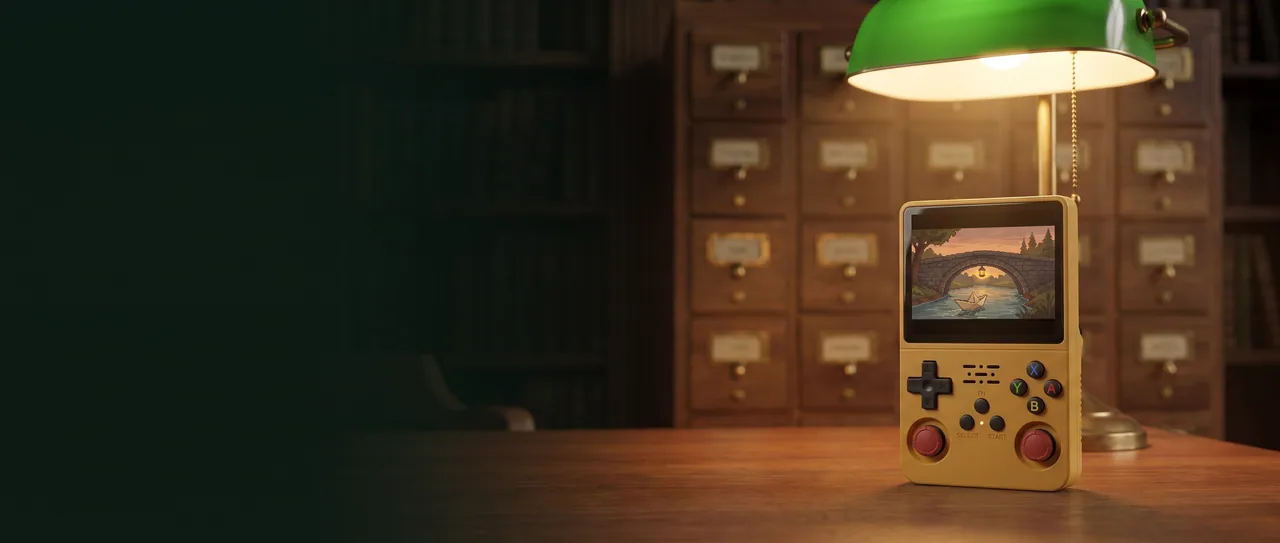
The yellow R36S Plus with red stick caps, standing on a dark walnut reading table in an old library at night, under a green banker's lamp, in front of a wooden card catalog with brass label holders. Its square screen shows an original pixel art paper boat under a stone bridge lit by a lantern.

4-inch · 720² · 2.4 GHz

R36S Plus: Square screen, built-in Wi-Fi, a neatly organized game library

A square 4-inch screen and built-in Wi-Fi that, depending on the installed system, fetches cover art for the games you own and sorts it neatly. Pick it up in the evening: everything is right where it belongs.

  • Square 4-inch 720 x 720 screen
  • Built-in 2.4 GHz Wi-Fi
  • Two microSD slots: system and games

5 colors · 64 / 128 GB

R36S Plus: choose your setup

Pick the shell color, then the memory card capacity. The photo follows the color you choose, and the price updates with your setup.

Total: $86.00Final price in US dollars per console, taxes and customs duties included, free delivery.

Color Yellow

Purple and Lake Blue are translucent, the black shade (smoky or solid) is still being confirmed, and yellow comes with red sticks. The tint may vary slightly from batch to batch.

Memory card

Payment is handled securely by Stripe, your card details never reach our site, and a confirmation email follows your order.

  • Secure Stripe payment You pay on Stripe's secure checkout. Your card details never reach our site.
  • Free delivery Dispatched within 24 to 72 business hours, with a tracking number sent by email.
  • Help by email Write to contact@r36s-plus.com with any question, before and after your purchase.
Key specs
Screen
Square 4-inch IPS, 720 x 720, about 254 ppi
Processor
Rockchip RK3326, quad-core Cortex-A35 up to 1.5 GHz
GPU and RAM
Mali-G31 MP2, 1 GB RAM
Wi-Fi
Built in, 2.4 GHz, no USB dongle needed. No Bluetooth
Storage
Two microSD slots (TF1-OS, TF2-GAME), cards up to 128 GB
Battery
3.8 V Li-Po, 3,000 to 3,200 mAh depending on the batch (printed under the door), replaceable
Ports
USB-C DC (charging), 3.5 mm headphone jack, USB-C OTG
System
Open-source Linux system preinstalled, EmulationStation-style menu

Top view of the smoky black R36S Plus on a walnut table, its square screen showing an original pixel art lighthouse keeper climbing a spiral staircase, a 4:3 image with bands at the top and bottom.
4-inch · 720 × 720

4-inch · 720² · 254 ppi

A square screen that gains height

The 4-inch IPS panel shows 720 x 720 pixels, about 254 ppi. It keeps the width of the R36S but stands taller, for about 36% more picture area. A 4:3 game shown without stretching keeps its proportions, with bands at the top and bottom. On a handheld, this square gives a crisp, well-centered picture. Display options depend on the system and the emulator, and no specific setting is promised.

  • Same width, tallerThe picture area measures about 72 x 72 mm, versus about 71 x 53 mm on the R36S.
  • A grid of cover artThe square format suits a grid of cover art, like a neatly kept card drawer.
  • A sharp IPS panelAbout 254 pixels per inch on an IPS panel, for pixel art with clean edges.
The translucent purple R36S Plus resting on an open wooden card catalog drawer full of index cards, its square screen showing a 3 by 3 grid of original pixel art cover thumbnails, a brass label holder on the drawer front.
2.4 GHz Wi-Fi

2.4 GHz · built in

Built-in Wi-Fi that keeps your library tidy

The Wi-Fi is built in: no USB dongle, and the OTG port stays free for your accessories. Depending on the installed system, the console fetches cover art and images for the games you already own, then lays them out in a clean grid on the square screen, like the cards of a well-kept catalog. Also depending on the installed system, it can enable RetroAchievements, install free ports through PortMaster, run the updates offered by the system and receive files from a computer on the same network. You set up the connection in the console menu, on a 2.4 GHz network.

  • Cover art in its placeDepending on the installed system, the scraper finds images for the games already on your card and shows them in a grid.
  • Your retro achievementsOnce enabled in the menu, RetroAchievements tracks your achievements in games that support them, depending on the installed system.
  • Ports and updatesDepending on the installed system, PortMaster installs free ports, and the updates offered by the system run right from the console.

What it doesn't do No online play, no network multiplayer, no streaming and no video apps. No Bluetooth either, and no 5 GHz networks.

Two thumbs resting on the analog sticks of the translucent Lake Blue R36S Plus. The D-pad, speaker grille, FN, Select, Start and ABXY buttons are visible.
Two clickable sticks

L3 · R3 · FN

D-pad, clickable sticks and four triggers

The D-pad sits under your left thumb, the four ABXY buttons in a diamond under your right. Two clickable analog sticks double as L3 and R3 buttons. On the back, four triggers in two pairs: L1 and R1 on the outside, L2 and R2 on the inside. During play, the FN button opens the emulator menu without leaving the game. Select and Start round out the front. Power and Reset sit on the left side, volume on the right side.

  • Clickable sticksEach stick presses down like a button: L3 on the left, R3 on the right, handy for 3D games.
  • Four triggers on the backThey sit on the flat back, two on each side, for games that call for four triggers.
  • FN, Select and StartFN brings up the emulator menu, and a small LED sits between Select and Start.

3.5 mm headphone jack

Real moments to play

No big screen needed, and no free hour either. The R36S Plus fits into the small moments: a break in your armchair, a train ride, ten minutes before dinner.

A person seen from behind in a green leather armchair, in a home library in the evening, playing on the yellow R36S Plus. Green banker's lamp, tea and a book on the side table, an original pixel art hot air balloon on the screen.

The evening break

The green lamp is on, your tea is cooling next to your book. You pick up the console, the list opens on your neatly lined-up cover art, and you jump back into last night's game. No TV to turn on, no cables to run. Just the armchair, a little quiet and a small pixel world on the square screen.

The smoky black R36S Plus standing on a tray table by a train window, propped against a paperback, wired headphones plugged into its bottom edge, a cup of coffee beside it, an original pixel art streetcar crossing a bridge on the screen.

On the go, headphones in

On the train, the console stands up against a paperback, next to your coffee. Plug wired headphones into the 3.5 mm jack on the bottom edge, and the sound stays yours. Back home, without headphones, the single front speaker takes over. There's no Bluetooth, so wired is the way to go.

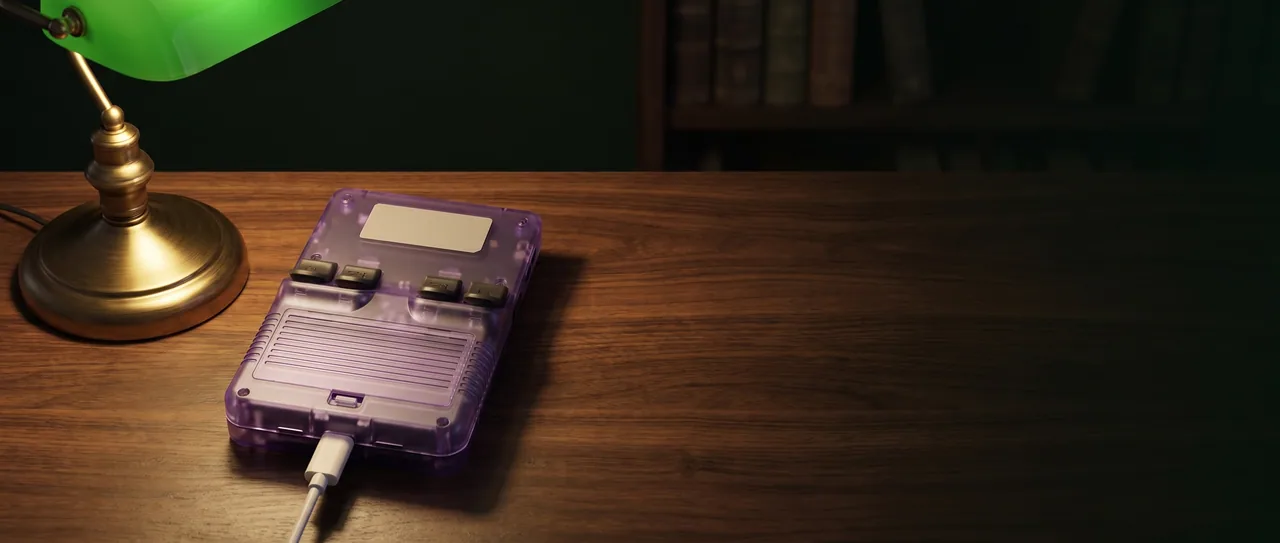
The translucent purple R36S Plus lying face down on a walnut desk under a green banker's lamp, showing its ridged battery door and four shoulder triggers, a white USB-C cable plugged into its bottom edge.

3,000 / 3,200 mAh

Replaceable battery and USB-C charging

The Li-Po battery is rated 3,000 to 3,200 mAh depending on the batch, and the exact value is printed under the door. That door, on the back, lets you replace the battery the day it wears out. Battery life depends on brightness, volume, the system and the game, so we don't give any figure in hours. Charging goes through the USB-C port marked DC, with a 5 V adapter of at least 1.5 A. A USB-C cable is included, a wall charger is not.

  • Door on the backA ridged door with a pull tab gives access to the battery so you can replace it when the time comes.
  • The DC port chargesPlug the cable into the USB-C port marked DC. The other USB-C port, marked OTG, is for accessories.
  • A 5 V adapterPlan on a 5 V wall adapter of at least 1.5 A, since no wall charger is announced with the console.

1:1 · 2.4 GHz · 2 × microSD

Color, memory and two card slots

Pick a shell color, then a memory size. Five colors are listed: yellow, white, black, purple and lake blue, and the shade may vary by batch. Memory only sets how much room your library has.

Five R36S Plus consoles lined up like books on a dark oak shelf: yellow, white, smoky black, translucent purple and translucent Lake Blue, between two brass bookends.

Five colors

The supplier lists five shells: yellow, white, black, purple and Lake Blue. Purple and Lake Blue are translucent, so you can see the board inside. Yellow comes with red sticks. The black shade is still being confirmed, and the tint may vary by batch.

  • Yellow
  • White
  • Black
  • Purple
  • Lake Blue

64 or 128 GB

Capacity decides how many games fit on the card, not how fast they run: the chip is the same either way. After formatting, usable space is a little lower than the nominal value, as with any card. The 64 GB version is on sale now; 128 GB is not available to order yet.

64 GB

For players who mostly play 8-bit and 16-bit consoles and handhelds, with room for a few PS1 games.

$86.00

A fingertip pushes a microSD card into the left-side slot of the translucent Lake Blue R36S Plus, with a second microSD card waiting on an index card.
TF1-OS · TF2-GAME

Two card slots

Two microSD slots: TF1-OS on the right side for the system, TF2-GAME on the left side for your games. Keeping them apart makes life easier: you can back up your game card without touching the system, and switch systems while your games stay on their own card. Cards up to 128 GB are supported.

Choose my R36S Plus · $86.00

RK3326 × 4

R36S Plus, R36S, R36 Max or R36 Ultra: which one fits you?

Weighing the R36S vs the R36S Plus, or wondering if the R36 Ultra is better? All four share the RK3326 chip, so games run the same way on each. The differences show up in the specs. The Max and the Ultra also have the square screen, and the Ultra adds Wi-Fi. The Plus pairs both with two microSD slots.

FeatureR36S PlusR36SR36 MaxR36 Ultra
Screen4-inch, 720 x 720 (1:1)3.5-inch, 640 x 480 (4:3)4-inch, 720 x 720 (1:1)4-inch, 720 x 720 (1:1)
ChipRK3326RK3326RK3326RK3326
RAM1 GB1 GB1 GB1 GB
Built-in Wi-FiYes, 2.4 GHzNo (USB dongle possible via OTG)NoYes, 2.4 GHz
Battery3,000 to 3,200 mAh depending on the batch3,200 mAh per the supplier4,000 mAh3,000 mAh
microSD slotsTwo (system and games)TwoNot specifiedNot specified
Standout featureFlat back, no lighting3.5-inch 4:3 screenRear grips, soccer ball patternRGB-lit sticks
R36S Plus4-inch · 720 × 720 R36S3.5-inch · 640 × 480
The two screens drawn to scale Sizes calculated from the diagonals. The dotted area shows a 4:3 game displayed on the square screen.

Sources: supplier listings, published reviews and public spec sheets, checked on September 23, 2026. Performance depends on the game and the installed system. "Not specified": information missing from our sources.

R36Plus · GAME CONSOLE

What you get

In the box

  • The R36S Plus console
  • The microSD card in the capacity you chose, with the open-source Linux system preinstalled
  • A USB-C charging cable

Good to know

  • No charger included: use a 5 V adapter of at least 1.5 A
  • The games you add are your responsibility, and no game list is promised
  • Wi-Fi features depend on the installed system

8 questions

R36S Plus: your questions

R36S vs R36S Plus: what really changes?

Two things. First, the screen: a square 4-inch 720 x 720 IPS panel, as wide as the R36S screen but taller, for about 36% more picture area. Second, built-in Wi-Fi, which the R36S doesn't have. The chip stays the same, an RK3326, so the same games run the same way. The Plus isn't more powerful, it's better equipped.

What does the R36S Plus Wi-Fi do, and what doesn't it do?

Depending on the installed system, it fetches cover art for the games you own, enables RetroAchievements, installs free ports through PortMaster, runs the updates offered by the system and receives files from a computer on the same network. You need a 2.4 GHz network, set up in the console menu. It does not offer online play, streaming or video apps, and there's no Bluetooth on this model.

Is the R36S Plus a real game console, and is it legal?

It's a retro handheld that runs an open-source Linux system. 8-bit and 16-bit consoles, arcade classics, Game Boy, Game Boy Color, Game Boy Advance and many PS1 games run well on this chip. On N64, PSP and Dreamcast, it depends on the game and the settings. PS2 isn't supported. We don't promise any list or number of games. Only play games you have the right to use. This isn't legal advice.

How do I add my own games to the R36S Plus?

Remove the TF2-GAME card from the left side and put it in a computer's card reader. Copy your files into the folder for the matching system, put the card back, then refresh the list from the menu. Depending on the installed system, you can also transfer files over your home network without removing the card. The getting started guide walks through each step.

How long does the battery last, and how does it charge?

Capacity is 3,000 to 3,200 mAh depending on the batch. Check the label under the battery door on the back, the same door you use to swap the battery. Runtime varies with brightness, volume, the system and the game, so we don't quote any hours. Charge through the USB-C port marked DC with a 5 V adapter of at least 1.5 A. The box includes a USB-C cable but no wall charger.

64 GB or 128 GB: which should I pick?

Capacity changes how many games fit on the card, never performance: the chip does the same work either way. If you mostly play 8-bit and 16-bit consoles, 64 GB leaves room to spare, while PS1 games take up more space. Formatted space is lower than the nominal value. For now, only the 64 GB version can be ordered; 128 GB is not on sale yet.

How can I tell if an R36S Plus is real or fake?

Check three things: the square 4-inch screen, the built-in Wi-Fi and the R36S Plus-V20 circuit board. The box may say "R36Plus": it's the same device. It's not the older 3.5-inch R36S Plus with a single stick, and it's not the R36 Max, which has no Wi-Fi. The supplier has confirmed this 4-inch Wi-Fi version in writing, and it's the only one we sell.

How do payment, delivery and returns work?

You pay on Stripe's secure checkout, so your card details never reach our site, and a confirmation email follows. Delivery is free. We dispatch within 24 to 72 business hours, then delivery takes 5 to 10 business days depending on your destination, with tracking by email. You have 30 days from receipt to change your mind: satisfied or refunded. Return it unused or reasonably tested, in its original packaging; return shipping is yours unless the item is defective. Email contact@r36s-plus.com to start.

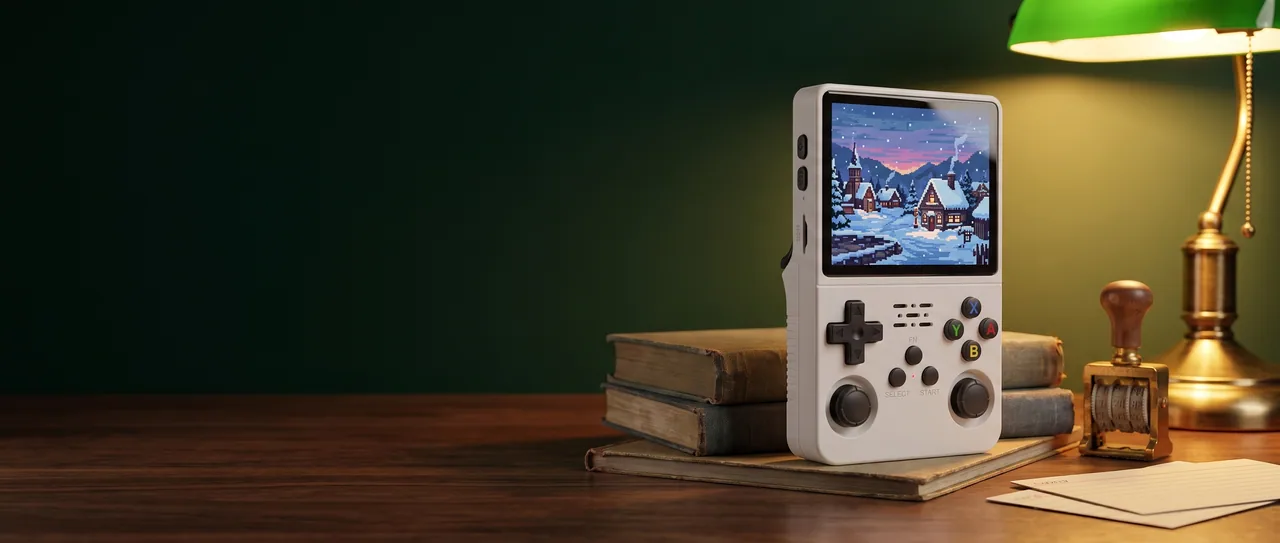
The white R36S Plus standing on a stack of old cloth-bound books on a reading table at night, its screen showing an original pixel art snowy village, with a green banker's lamp and a brass date stamp beside it.

Your game library, organized on a square screen

Choose your color and your card, add the games you own, and let the Wi-Fi find their cover art, depending on the installed system. All that's left is to switch off the overhead light and turn on the lamp.

Set up my R36S Plus · $86.00

Free delivery, secure Stripe payment and 30 days to change your mind.

Your cart