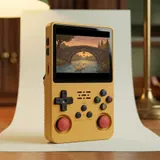
What capacity changes, and what it doesn't
A microSD card's capacity is just storage space. A 128 GB card does not make the R36S Plus any faster than a 64 GB card. Both setups use the same Rockchip RK3326 chip and the same 1 GB of RAM. Games don't run better and menus don't open faster. What changes is how many files you can keep on the games card without having to pick and choose. That number depends mostly on the kind of games you own.
Games from 8-bit and 16-bit consoles, and from handhelds of the same era, are small files. CD-based games from 32-bit consoles are much larger, because each disc becomes a full image. Depending on the installed system, cover art fetched by the scraper, save files and ports installed through PortMaster also take up space. If your collection is mostly cartridge games, capacity matters very little.
Why a card shows less space than advertised
A card sold as 64 GB will never give you a full 64 GB of usable space. This is normal and happens with every brand. Manufacturers count in powers of 10: to them, one gigabyte is one billion bytes. Computers and consoles count in powers of 2, which shows a smaller number for the same amount of bytes. Formatting then reserves a small portion of the space for the file system structure. In the end, the free space is lower than the number printed on the card.
Leave some headroom on the games card, too. A card filled to the brim leaves little room for new saves and downloaded images. On the system card, part of the space is already taken up by the preinstalled open-source Linux system. To estimate what you need, add up the actual size of your files on your computer. Then compare that total with the free space shown after the card is formatted, not with the number on the package.
| Capacity | Good for | Good to know |
|---|---|---|
| 64 GB | 8-bit and 16-bit games, classic arcade, older handhelds | Usable space is less than 64 GB after formatting |
| 128 GB | Collections with lots of CD-based games, everything in one place | Configuration still being confirmed |
| Spare system card | Every owner | Write the original TF1-OS card image to it |
| Spare games card | Anyone who rotates between game selections | Well-known brand, UHS-I, U1 or U3, A1, up to 128 GB |
Two slots, two jobs: TF1-OS and TF2-GAME
The R36S Plus uses two microSD slots. The TF1-OS slot, on the right side, holds the system card. This card boots the console and contains the menu, the emulators and your settings. Without it, the console won't start. The TF2-GAME slot, on the left side, holds the games card. This split is handy. You can upgrade the games card without touching the system, or replace the system card without losing your games.
The system card deserves the most care. If it gets damaged or is copied incorrectly, the console won't boot, even with a perfectly good games card. A reliable name-brand card matters more in TF1-OS than in TF2-GAME. Depending on the installed system, the games card also needs to be formatted in a supported format and keep the expected folder structure. The system's documentation explains the details.
Which microSD card to buy
You don't need the most expensive card for the R36S Plus. Reliability is what counts. A card from a well-known brand, rated UHS-I and marked U1 or U3, will do the job. The A1 logo is enough: A2 isn't necessary for this use. The documented capacity goes up to 128 GB, so stay within that limit. Buy from a reputable seller, since counterfeit name-brand cards are out there too. When the card arrives, format it and check the space shown before you copy any files.
Avoid no-name cards or cards sold at a suspiciously low price. Some claim a capacity they don't actually have and start losing files once they pass a certain point. On the system card, that is the surest way to end up with a console that won't boot. If you pick up a spare card, choose the same type as the one you already use.
- Well-known brand, bought from a reputable seller
- UHS-I rated
- U1 or U3 speed class
- A1 logo, enough for this use
- Up to 128 GB, as documented for this model
Back up both cards before changing anything
Before you replace a card, reformat it or try a different system, make a copy of both. Turn off the console, remove the cards and open them on a computer with a card reader. For the TF1-OS card, create a full image with disk imaging software: simply copying the visible files isn't always enough to make a system card bootable. For the TF2-GAME card, copy all of its contents into a folder, save files included.
Community firmware exists for this model. It is not included or supported with the console, and installing it is at your own risk. With an image of the original system card, you can always go back. Keep two copies, one on your computer and one on another drive. Label each card, TF1 and TF2, so you don't mix them up when you put them back in.
64GB or 128GB: which size fits you
Go with 64 GB if you mostly play 8-bit and 16-bit console games, classic arcade games or older handheld games, and you don't mind being selective. It is also a sensible choice if you keep your full collection on your computer and swap games from time to time. Go with 128 GB if you have a lot of CD-based games, want everything in one place, or plan to fetch lots of images with the scraper, depending on the installed system.
A spare card is useful either way. A ready-to-use copy of the system card keeps you from getting stuck if the original fails. The R36S Plus sold here is the version with the square 4-inch screen and built-in Wi-Fi, whose features depend on the installed system. The 64 GB configuration is planned. Availability of the 128 GB configuration is still being confirmed, and the exact cards included are confirmed before you order.
Frequently asked questions
Can I use a card larger than 128GB?
The documented capacity for the R36S Plus goes up to 128 GB. Beyond that, there is no guarantee the installed system will recognize the card or format it correctly. If you run out of space, it is safer to use two games cards of 128 GB or less and swap between them, turning off the console before each swap.
Can I add games without removing the card?
Depending on the installed system, yes: the built-in Wi-Fi lets you transfer files from a computer on the same network. You need a 2.4 GHz network, since the console does not support 5 GHz. You set up the connection in the console's menu. To copy a lot of files at once, your computer's card reader is still a simple option.
What should I do if the console won't boot after swapping cards?
Turn it off, then check that the system card is in the TF1-OS slot on the right side and the games card is in TF2-GAME on the left. If the problem continues, write the system card image you backed up to a name-brand card, then try again. Without that image, getting the console running again is much harder.
Can I reuse the microSD card from an old phone?
Yes, as long as it is a name-brand card in good condition, rated UHS-I, and 128 GB or smaller. Copy its contents first, because preparing it for the console erases everything. If the card is old or has shown errors before, use it for games rather than the system, or replace it.
Sources
- Handhelds Wiki, R36Plus
- Retro Handhelds, R36Plus review (May 2025)
- Gouforit, R36Plus consola retro (August 2025)
Our guides are based on supplier spec sheets and public documentation. We don't claim any hands-on testing.